


Customize your shop design and welcome text
Open My shop → Design and home page for the primary color and logo. Welcome messages and customer notices are under My shop → Shop notices.
Shop Design
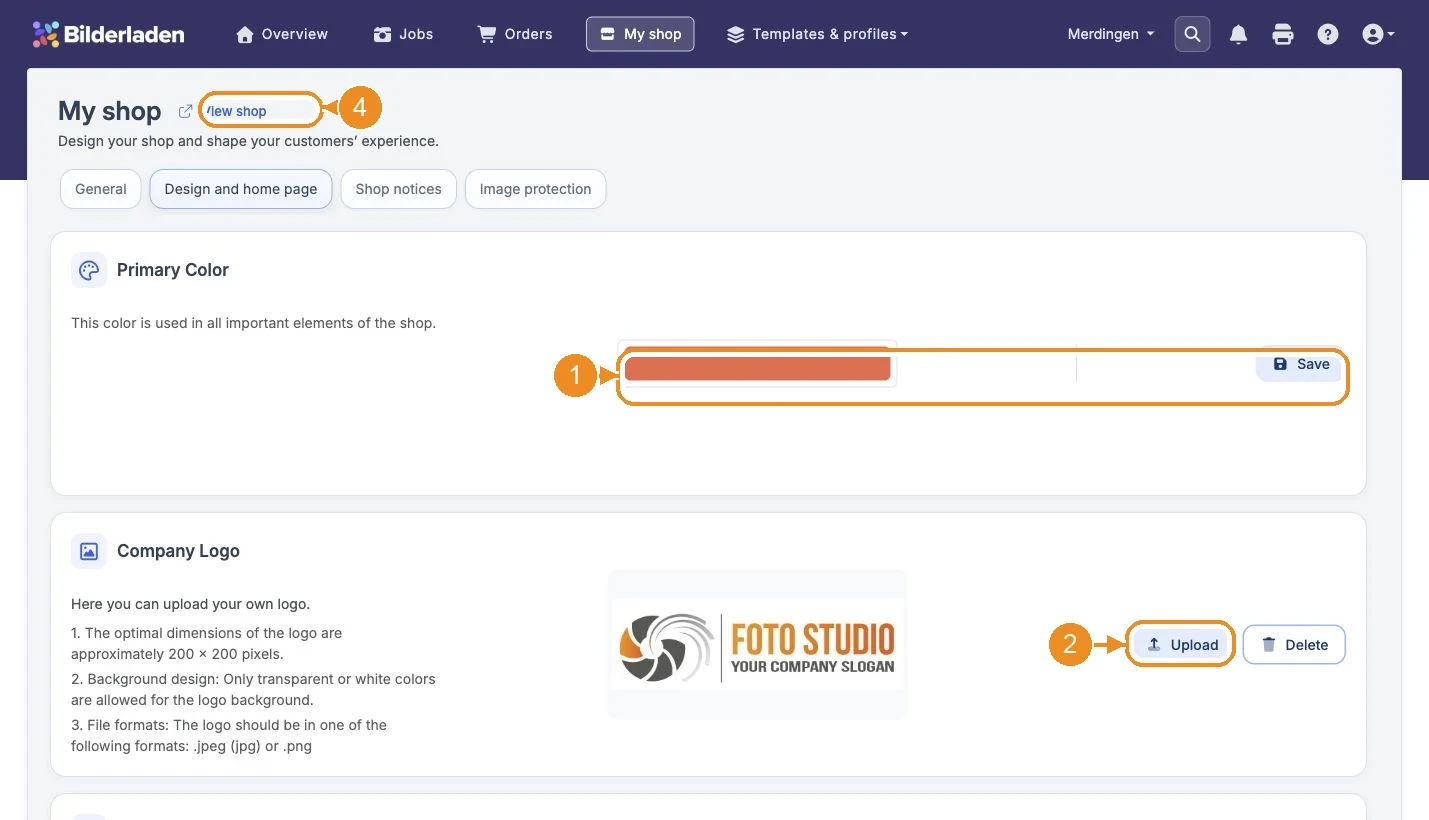
- Open My shop → Design and home page. Choose your Primary color, then select Save.
- Select Upload for the company logo and choose an image file. Wait until the upload finishes and the new logo appears.
- Upload your home page image. Delete restores the default logo or home page image for the respective area.
- Open View shop and check the color, logo and home page image in your shop.
Manage the short URL and website access form under My shop → General.
Advanced Settings
Open My shop → Shop notices, choose the language and edit the welcome message. Check the text before saving. General shop notices have their own editor on the same page.